
Everything you need to run exams on your own computers
CBT System covers the whole exam: setting questions, fair delivery, live control, security and results. It runs inside your own network, so exams do not depend on the internet.
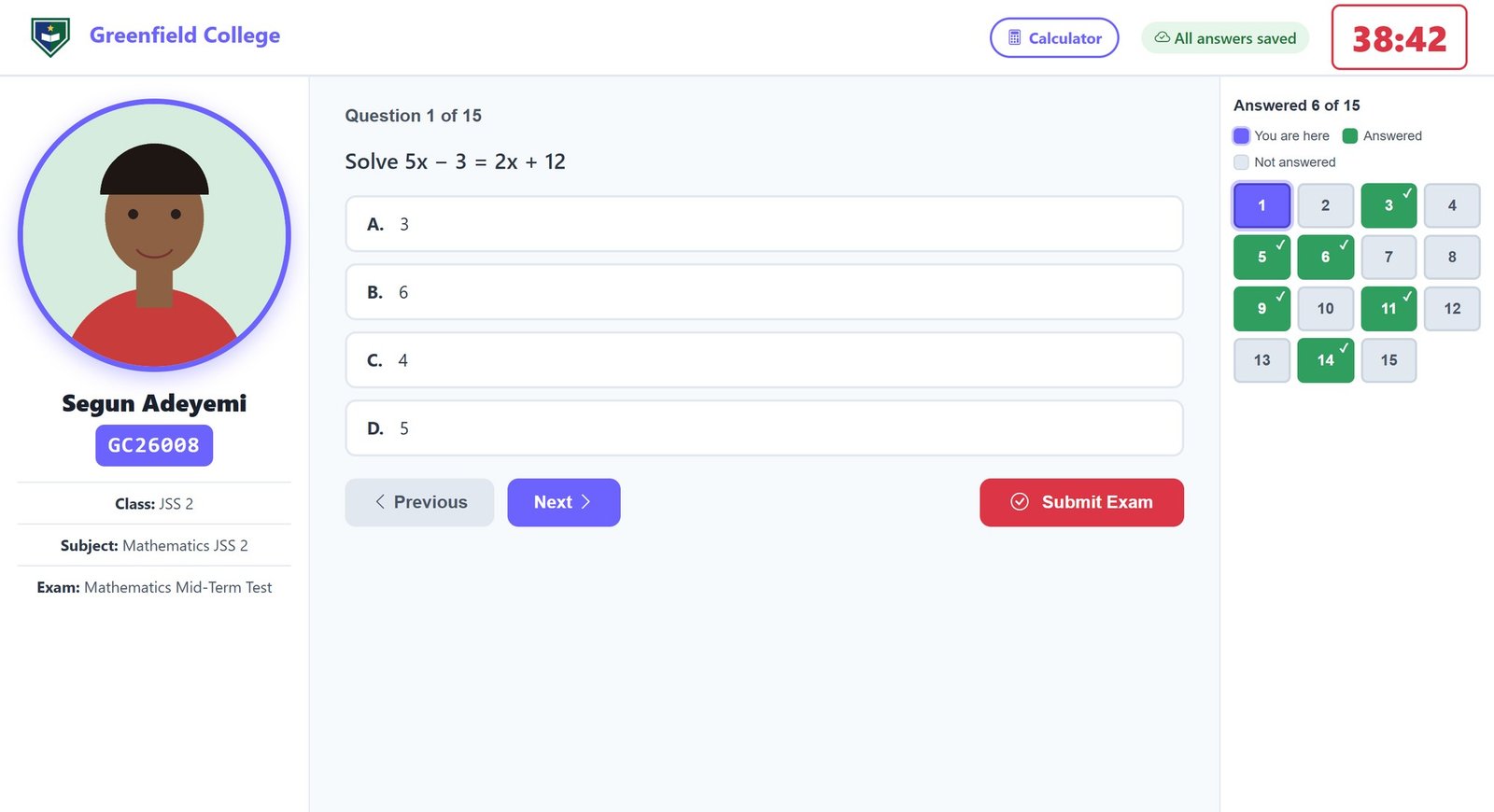
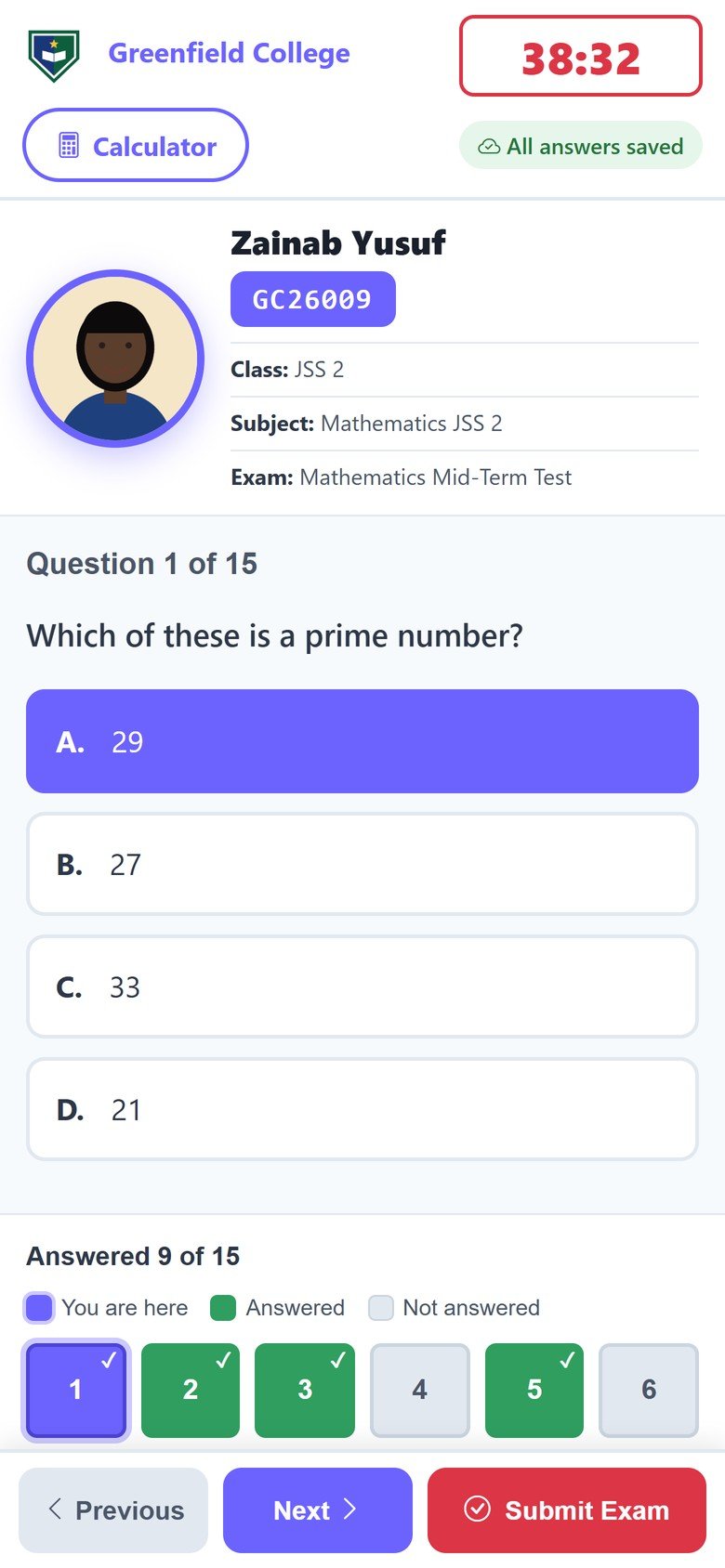
Clear for students. Easy for invigilators to check.
Every student sees their own school's logo and name, a countdown timer and one question at a time. The student's photo and registration number are large and bold, so an invigilator can confirm each candidate at a glance.
- Large round student photo with name and registration number
- Colour-coded question panel: current, answered with a tick, not yet answered
- Built-in scientific calculator and an "All answers saved" indicator
- Works on computers, tablets and phones with every button available
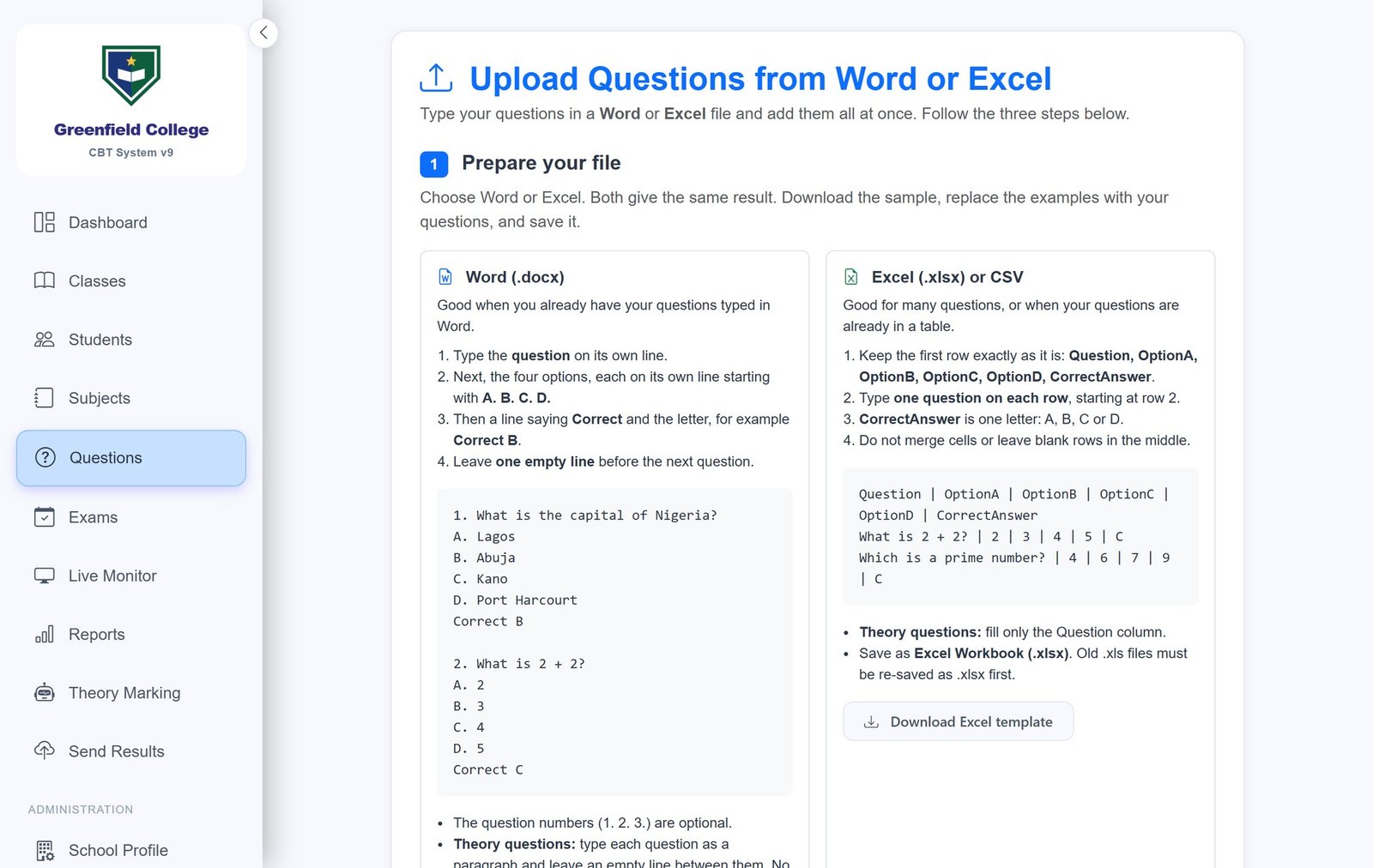
Upload a whole question paper in minutes.
Type questions in, or upload them from a Word, Excel or CSV file. The page shows exactly how to prepare your file, with an example you can copy and a template to download.
- Word, Excel and CSV uploads with on-screen instructions
- Objective questions and theory (essay) questions
- Reading passages stay together with their questions
- Delete one question or many at once
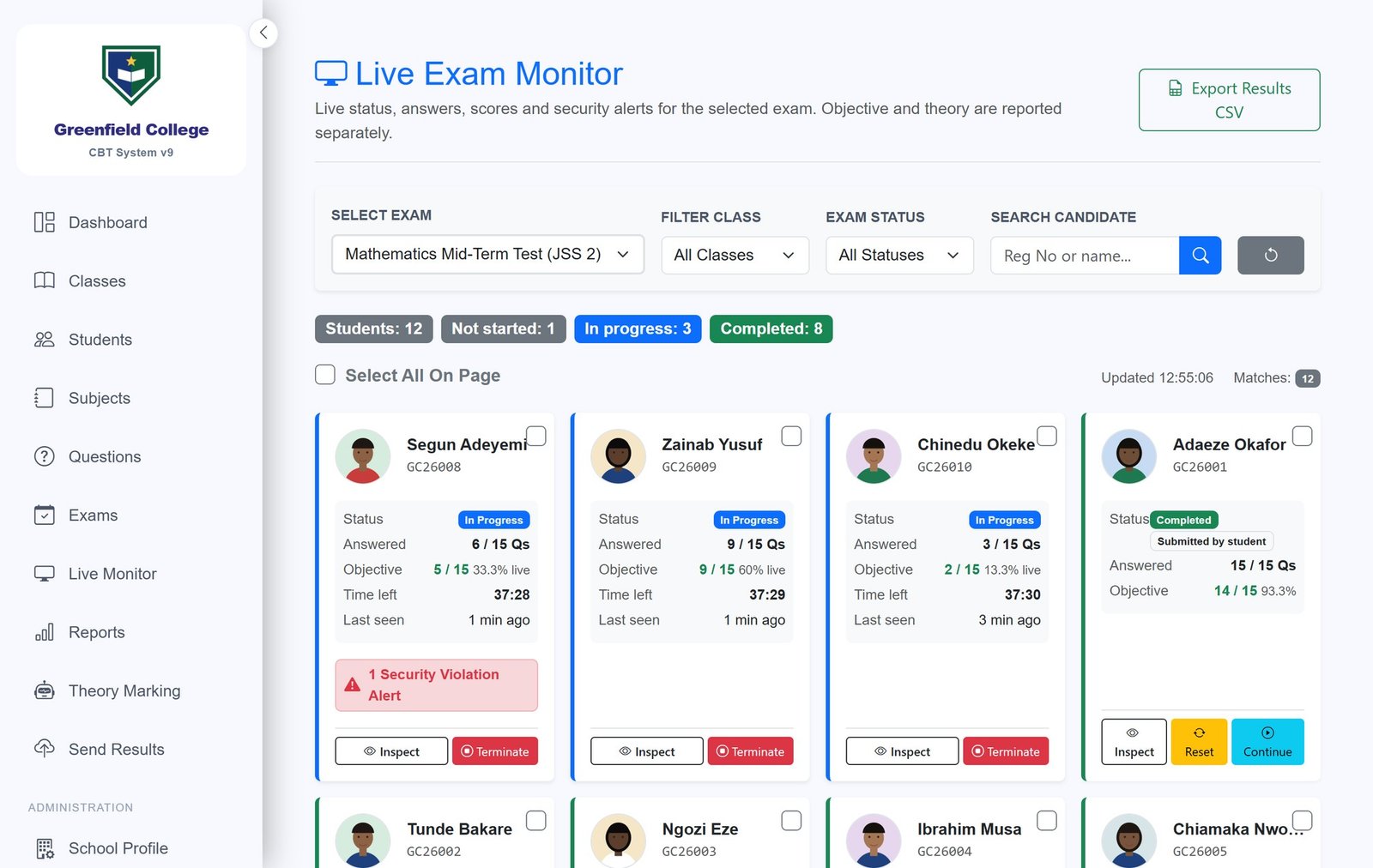
See the whole hall while the exam is running.
The live monitor shows every student's status, how many questions they have answered, their live score, the time they have left and any security alert. Invigilators can step in without leaving their seat.
- Counts of students not started, in progress and completed
- Security alerts for tab switching, copying, pasting and back-button use
- Inspect a student's answers, reset or continue an exam, or end it
- Search and filter by class, status or name, and export results to CSV
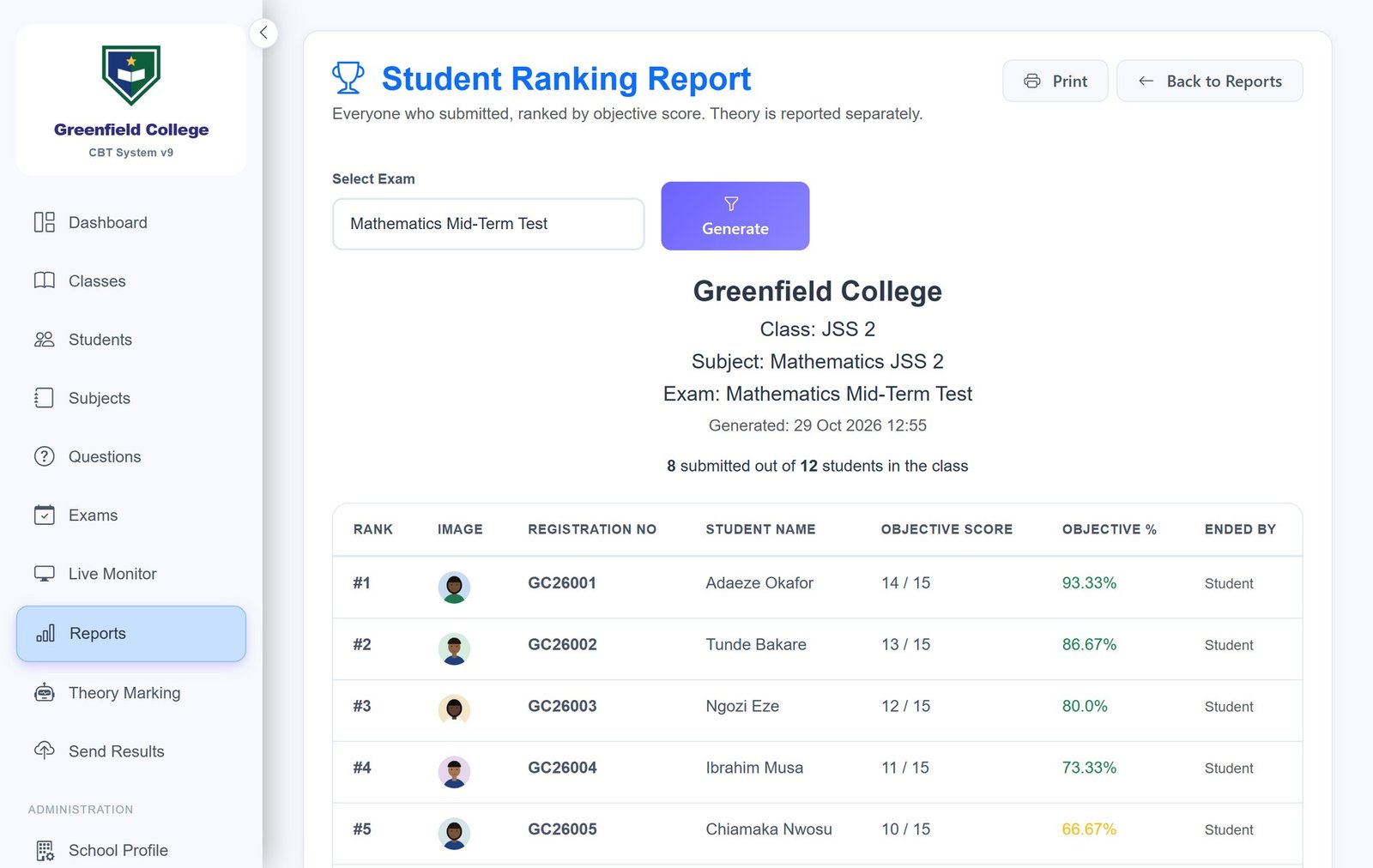
Marked and ranked the moment the exam ends.
Objective questions are marked automatically. Print or save the ranking report with each student's photo, score and percentage, and see who finished on their own and who was ended by the system.
- Ranking reports, class summaries and question analysis
- Violation reports and result export
- You decide whether students see their score after the exam, for the school or for each exam
- Theory (essay) answers are marked in a separate workspace with a totals sheet
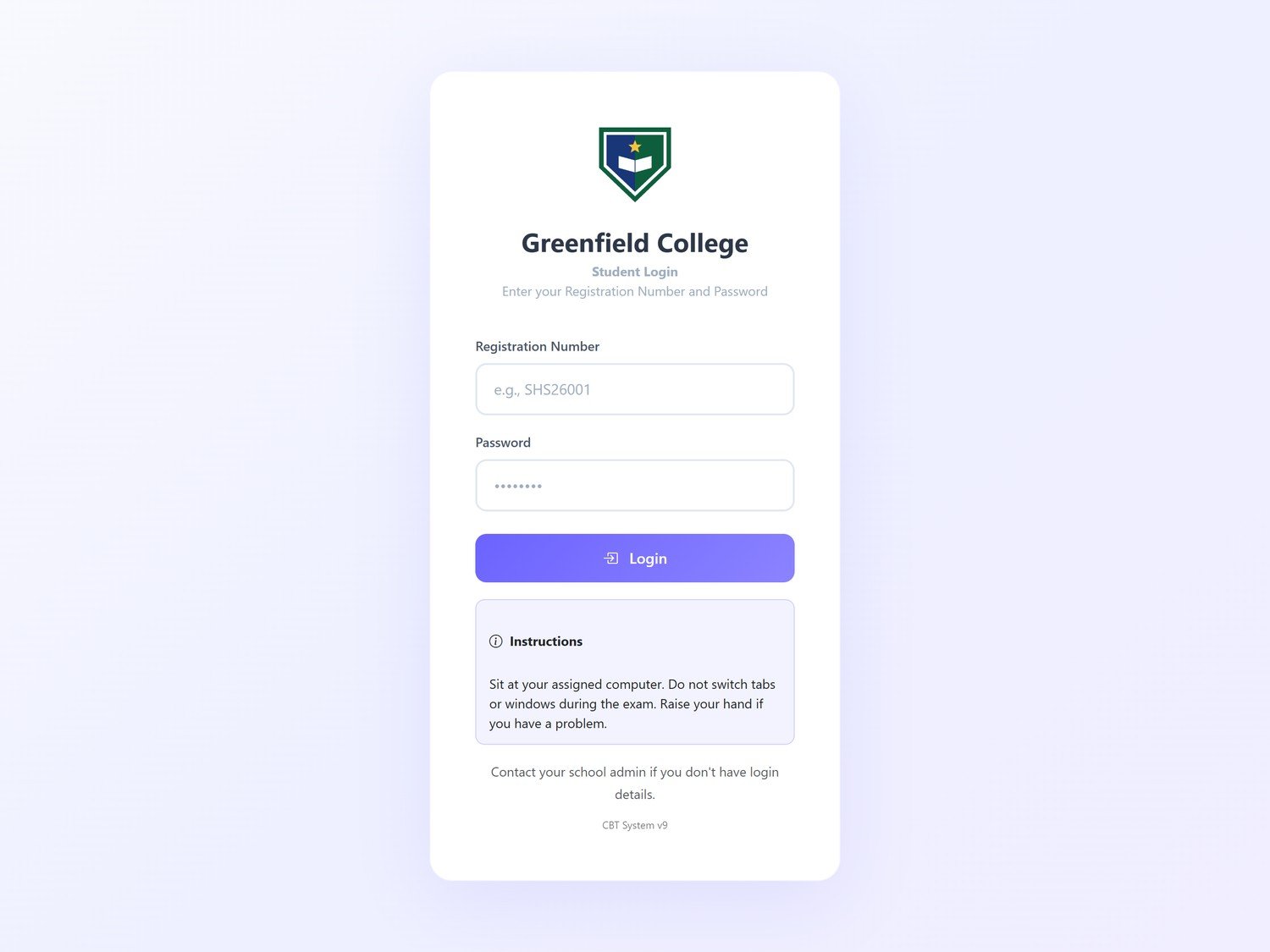
It looks like your school from the very first screen.
Add your school's logo and name when you set up, together with a short note for students. They appear on the student login page and the exam screen, in the shape your logo already has, and long school names are shown in full.
- Your logo, name and instructions on the student login page
- Administrator and sub-administrator accounts with their own permissions
- Built-in backup and restore
Screenshots show a sample school with fictional students.
And more
Fair examinations
- Every student gets their own question order
- Every student gets their own answer order, and the correct answer always stays correct
- Questions that belong to one passage stay together
- Options such as "All of the above" keep their written order
Security
- Tab switching, copying, pasting and back-button use are detected and recorded
- An exam is submitted automatically after repeated violations
- A licence is made for one server computer and cannot be copied to another
- Changing the computer's clock does not extend a licence
Theory (essay) marking
- A marking workspace: mark by question or by student
- A totals sheet for every student
Built for your own network
- Runs on your server computer inside your school or centre
- Students use a web browser on your computers
- Installation and training are included
- Support by WhatsApp, phone and email
Ready to get started?
Install CBT System, then buy your licence online in a few minutes.
See the price list Installation guide